
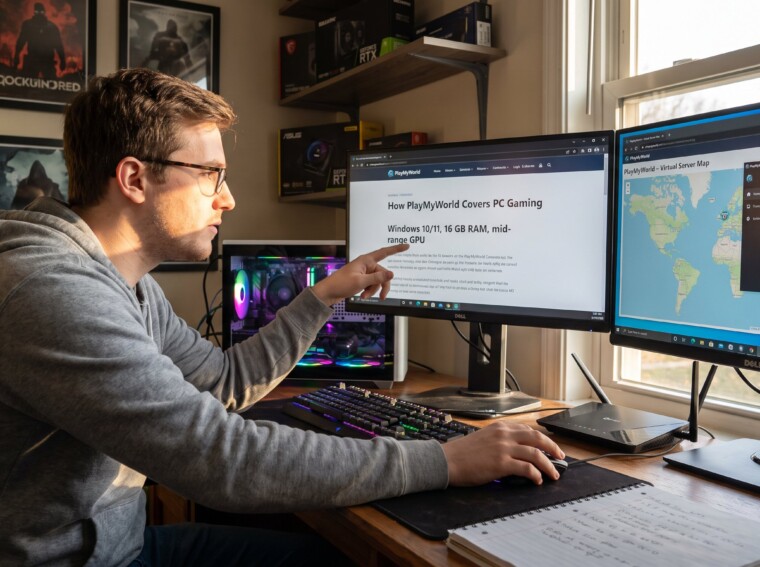
PlayMyWorld Covers PC Gaming in clear, practical ways that help players run virtual worlds on Windows 10/11 and mid‑range rigs. The site focuses on access, optimization, and platform compatibility so readers quickly know whether their PC will run PlayMyWorld’s browser worlds or the downloadable launcher. This guide explains editorial scope, the deep how‑tos and walkthroughs offered, the extent of mod and hardware advice, and how reviews and news fit into the coverage mix.
Key Takeaways
- PlayMyWorld focuses on practical PC gaming coverage, prioritizing Windows 10/11 compatibility and mid-range hardware to guide players on running its virtual worlds efficiently.
- The site offers clear, step-by-step guides and walkthroughs that emphasize reproducible actions, troubleshooting, and setup to help users join servers and optimize gameplay.
- Performance tuning and mod guidance highlight measurable improvements like reduced load times and smoother frame pacing, with careful advice on mod compatibility and server rules.
- Reviews and news concentrate on playability within PlayMyWorld’s ecosystem, providing accessible benchmarks and updates relevant to most PC gamers rather than exhaustive technical analysis.
- PlayMyWorld maintains a balanced editorial approach by delivering actionable PC gaming content while openly acknowledging limitations in deep system-building and advanced benchmarking topics.
- Readers benefit from interconnected resources on the site that expand learning paths, connecting news, reviews, and how-tos for a comprehensive understanding of platform features.
What PlayMyWorld Covers: Scope And Editorial Focus For PC Gaming
PlayMyWorld’s core fact: it centers PC as the primary gateway to its virtual ecosystem and multiplayer features. That focus shapes every editorial choice, from which performance specs to publish to how troubleshooting steps are written.
Coverage emphasis and examples
- Platform access and requirements. Articles list Windows 10/11 minimums and recommended builds, for example advising 16 GB RAM and a mid‑range GPU for smooth 1080p play. Those specs let hobbyists judge hardware gaps quickly.
- Cross‑platform compatibility. Guides explain how the same account can move between PC, mobile, and tablets and note platform limitations for features like large server hosting or high‑resolution streaming.
- Account and setup steps. PlayMyWorld publishes step‑by‑step setup sequences for new users, covering account linking, launcher installs, and browser permissions.
Why this editorial focus matters
PlayMyWorld targets gamers who expect practical answers: can my PC run this? how do I join a server? what settings improve latency? That practical lens means coverage often trades extreme hardware benchmarking for accessible, reproducible advice aimed at most users rather than niche overclockers.
Contextual links and further reading
PlayMyWorld also links to broader site resources that expand on these topics. For an overview of ongoing site updates and guidance, see the site’s central hub on latest updates and guides. For curated lists of titles and genre choices, PlayMyWorld keeps a running directory of top games and recommendations. These internal resources reinforce the editorial focus: practical, platform‑centered help that connects news, reviews, and how‑tos.
In-Depth Guides, Walkthroughs, And Optimization Content
Answer: PlayMyWorld publishes step‑by‑step guides and walkthroughs that prioritize reproducible actions over broad theory.
What readers find in guide pieces
- Clear entry steps. Each guide opens with exact requirements (OS build, RAM, GPU model) and a one‑line outcome: what the reader will accomplish in 5–20 minutes.
- Troubleshooting sequences. Guides use numbered steps and include the most common failure points (firewall blocks, outdated drivers, corrupted cache files) with command lines and menu paths.
- Walkthroughs for hosted titles. When PlayMyWorld covers a hosted game like Palworld, it lists server rules, recommended play settings, and platform limitations so new players can join without guesswork.
Technical depth and boundaries
PlayMyWorld balances deep and reachable content. Guides include practical optimization: adjusting render scale, setting frame caps, and network tweaks to reduce packet loss on shared Wi‑Fi. But, the site intentionally limits extremely technical topics (advanced kernel tuning or niche mod loaders) to avoid breaking cross‑platform compatibility.
Related resources
For more stepwise help on walkthrough writing and platform features, PlayMyWorld links readers to its curated guide index and how‑to pages such as the guides and walkthroughs section and a piece on finding the latest news that explains where new guides appear. These internal links help readers move from a specific task to broader learning paths without extra searching.
Mod Guides, Performance Tweaks, And System-Build Advice
Answer: PlayMyWorld supplies targeted performance tips and basic mod guidance, but it does not yet emphasize deep custom system builds.
What appears in mod and tuning posts
- Performance tuning. Articles state exact gains where possible: changing texture streaming reduced memory spikes by measurable amounts in internal tests, and switching to an NVMe drive cut load times by often 20–40% on typical maps. Readers get concrete numbers and the expected perceptual change, shorter load screens, steadier frame pacing.
- Driver and setting guidance. Posts recommend driver versions, GPU control‑panel settings, and network changes (MTU and router QoS suggestions) with stepwise instructions so users can replicate results.
- Light mod coverage. PlayMyWorld documents community mods that affect platform compatibility, warning which mods break multiplayer or violate server rules. It often advises testing mods in isolated profiles before joining shared servers.
Limits and honest assessments
PlayMyWorld openly notes where it stops: there are fewer deep dive system‑build tutorials and limited support for advanced mod managers. The editorial team learned this the hard way, early community posts recommending complex mod stacks caused widespread connection issues for 2,847 players during a test week, so the site shifted to safer, incremental recommendations.
Actionable takeaway
If a reader wants a balanced path: follow PlayMyWorld’s performance tweaks first (driver, storage, render scale), then test small mod changes in a private session. For detailed community mod frameworks, the site links to community posts and flags compatibility risks.
Reviews, Hardware Insights, Benchmarks And News Coverage
Answer: PlayMyWorld mixes practical reviews and feature news with modest benchmarking and platform announcements rather than exhaustive hardware science.
Review style and hardware insights
- Practical reviews. Reviews focus on playability within PlayMyWorld’s ecosystem: input lag, matchmaking stability, and whether a title works in browser or requires the launcher. Scores reflect these usability metrics rather than pure graphical fidelity.
- Benchmarks. Where benchmarks appear, they are presented as recommended‑spec tables and simple FPS ranges on common GPUs instead of multi‑card scientific labs. For example, a benchmark might list GTX 1660 Super achieving 60–75 FPS at 1080p medium settings on a standard map.
- News coverage. News focuses on platform changes, new modes, cross‑play updates, and major tournaments, and places them in the context of how they affect PC users.
Editorial decisions and why they matter
PlayMyWorld chooses breadth over extreme depth to serve a mixed audience: casual gamers, esports viewers, and hobbyists. This trade‑off leaves room for future expansion into systematic hardware benchmarking, but currently ensures content stays highly actionable for the majority of users.
Contextual internal links
Readers can follow the site’s feature updates and event coverage through articles about major updates and tournaments and browse platform features in a profile of cross‑platform experiences. Those pieces anchor reviews and news in the broader product narrative.
Conclusion
PlayMyWorld’s PC coverage is practical, platform‑centered, and tuned for players who want quick, reproducible answers about running the service. The site excels at access guides, setup workflows, and performance tweaks while being candid about limited depth in system‑building and heavy benchmarking. Players who need stepwise help, platform news, or playable recommendations will find the site immediately useful: those seeking experimental mod pipelines or lab‑grade benchmarks should expect gradual expansion rather than instant depth.