
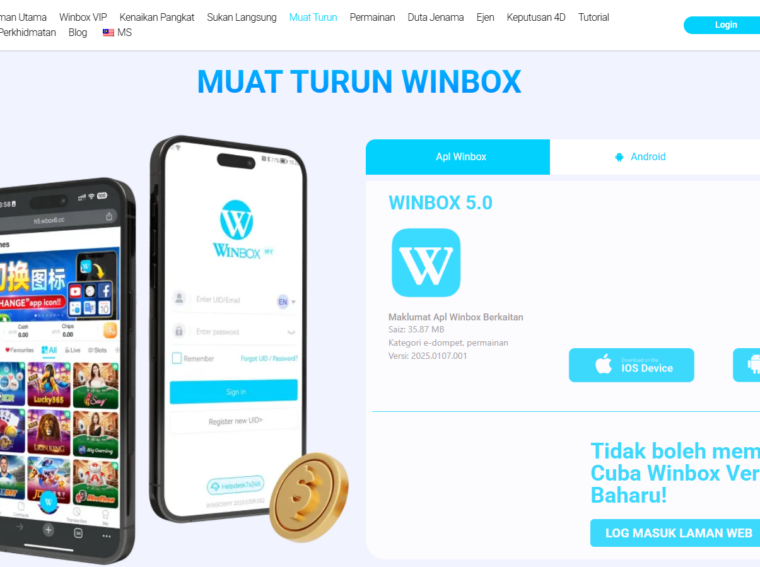
Mobile gaming platforms no longer depend on a single way of accessing games. A player may install an Android application, open the same platform through a mobile browser, or switch between the two depending on the device and connection available.
Winbox follows this broader mobile-access model through APK-based access and an H5 browser interface. Although both routes can lead players into the same general gaming ecosystem, they work differently at the device level. Installation, storage use, updates, compatibility, browser dependence, and everyday convenience can all vary.
Understanding these differences is particularly useful for players who regularly change devices, have limited phone storage, use both Android and iOS, or simply want fewer steps between opening a device and accessing an account.
Before comparing them, one distinction matters. An APK is an Android application package. Android’s official developer documentation explains that an APK contains the application contents required at runtime and is a file Android devices can use to install an app.
H5, meanwhile, generally refers to a browser-based experience built with modern web technologies. The term “HTML5” has evolved into a broad label for technologies used to create modern interactive web experiences rather than referring only to one numbered version of HTML.
With that distinction established, here are nine differences players should understand.
Quick Comparison: APK vs H5
|
Factor |
Winbox APK |
Winbox H5 |
|
Installation |
Application must be installed |
Usually opened through a browser |
|
Device focus |
Primarily Android |
Wider browser-based compatibility |
|
Storage |
Uses permanent device storage |
Usually requires less dedicated storage |
|
Updates |
May require a new application version |
Server-side changes can appear on the next visit |
|
Launch method |
App icon |
Browser URL or saved shortcut |
|
Browser dependence |
Lower after installation |
Depends heavily on browser performance |
|
Device integration |
Potentially deeper |
Generally more browser-controlled |
|
Switching devices |
Requires installation on another Android device |
Often easier through a compatible browser |
|
Best suited to |
Regular Android use |
Flexible or occasional access |
1. APK Requires Installation, While H5 Starts in the Browser
The most visible difference is installation.
An APK needs to become part of the Android device’s installed applications. Once installed successfully, it behaves much more like other Android apps, typically appearing in the app drawer or on the home screen.
An H5 service works differently. Instead of first obtaining an application package, the player opens a compatible web address in a browser. The browser retrieves and displays the web application.
That makes H5 useful when someone wants comparatively immediate access without maintaining another conventional Android installation.
Modern web applications can also blur this distinction. Some browser-based services can be added to a home screen and presented in an app-like window. MDN notes that installable progressive web applications can be launched from an operating system similarly to platform-specific apps.
However, a browser-installed web application and a native Android APK remain technically different delivery methods.
2. APK Access Is More Closely Tied to Android
The second major difference is operating-system compatibility.
APK is fundamentally associated with Android. Google’s Android documentation defines an APK as a package Android-powered devices use for application installation.
H5 access is less tightly connected to one operating system because the browser provides the execution environment. In practical terms, a sufficiently compatible browser can allow the same web-based interface to function across different device categories.
It also means players should not assume that instructions written for an APK automatically apply to an H5 session. The two environments may present menus, permissions, and navigation differently.
3. They Have Different Storage Requirements
An installed APK occupies dedicated device storage because application code, resources and related data need to remain on the phone. Over time, additional cached data can also accumulate.
H5 avoids installing the same type of full Android application package. The browser still uses cached files, cookies, and other site data, so describing H5 as using “zero storage” would be inaccurate. The difference is that the player generally does not maintain a separate conventional Android installation.
For users with newer phones containing hundreds of gigabytes of storage, this distinction may be unimportant.
It becomes more noticeable on older or entry-level smartphones where applications, photographs, videos, and system updates are competing for limited space.
Players who regularly run close to their storage limit may therefore see browser access as more convenient, while users who have sufficient capacity may consider installation size a minor issue.
4. Updating the Two Versions Works Differently
APK and H5 also follow different update models.
An Android application can require a newer package when changes are released. Depending on the platform’s distribution system, users may occasionally need to install or update the relevant version.
Web applications can be changed on the server side. Google’s web.dev documentation explains that when users visit a web application, they can receive the latest version deployed by the publisher rather than manually obtaining a newly packaged application for every website update.
That gives H5 an important convenience advantage: many interface changes can become available simply by loading or refreshing the service.
There is a trade-off. Browser caches occasionally preserve older assets, which is why clearing cache or reloading a page can sometimes solve web-interface problems.
For APK users, keeping the application version current is more important. Players obtaining an APK should also distinguish between an official current package and an old file saved elsewhere on their device.
5. Launching an APK Can Feel More Direct
Once installed, an APK can provide a very direct routine:
unlock phone → tap application → open platform.
H5 normally introduces the browser into that process:
unlock phone → open browser → load or select website → access platform.
The difference may only amount to a few seconds, but frequent users tend to notice small amounts of friction.
H5 users can reduce those steps by bookmarking the page or creating a home-screen shortcut where their browser supports it. Modern web-app technologies are specifically designed to make browser-based applications feel more app-like, including allowing supported web apps to appear on the home screen.
So the practical difference is no longer as large as it once was. Still, someone who prefers a dedicated icon and a clearly separated gaming application may find the Winbox Apk baru experience more straightforward.
6. H5 Depends More Heavily on the Browser
An H5 platform operates within the web environment, which makes browser behaviour important.
Browser version, cached site data, JavaScript support, cookies, network conditions, and device settings can influence how smoothly a web interface behaves. The modern HTML standard supports everything from ordinary documents to interactive web applications, but the browser remains responsible for interpreting and running that web content.
If an H5 page behaves unexpectedly, sensible checks might include:
- Refreshing the page;
- Reopening the browser;
- Checking the connection;
- Confirming that the browser is current;
- Clearing problematic cached site data where appropriate.
7. APK Can Offer Deeper Device Integration
Installed applications generally have greater potential to interact directly with operating-system features, although the exact capabilities depend on how an individual app has been developed and which permissions the user grants.
Web applications have become significantly more capable, too. Progressive web technologies can provide app-like functionality, installation and some operating-system integration. Google describes modern PWAs as web applications enhanced with APIs for improved capabilities, reliability and installability.
Still, browser security boundaries mean H5 and APK experiences should not automatically be expected to behave identically.
This can surface in areas such as opening external payment interfaces, downloading files, switching between applications, notifications, or returning to the previous screen after another service has been opened.
For ordinary game navigation, the distinction may barely be visible. It becomes more noticeable when an action requires interaction with the wider device.
8. H5 Makes Moving Between Devices Simpler
One of H5’s strongest practical characteristics is portability.
Because access happens through the web, a user generally does not need to maintain the same locally installed package on every compatible device. Instead, the player opens the appropriate web interface and signs in.
An APK requires another Android installation when moving to another Android phone or tablet.
This difference can matter for users who replace devices frequently or maintain separate personal and secondary phones.
Account access should nevertheless be treated separately from the access technology. For example, a player whose account relationship originally involved a Winbox agent does not necessarily need a fundamentally different account simply because the person moves between APK and H5 interfaces. The access method and the underlying account relationship are separate concepts.
Players switching devices should also pay attention to account credentials and security rather than depending on passwords saved only in one browser or device.
9. Neither Version Is Automatically “Better” for Every Player
The final difference is really about user priorities.
APK can make more sense for someone who:
- Uses Android as a primary device;
- Accesses the platform frequently;
- Prefers a dedicated app icon;
- Has sufficient device storage;
- Dislikes keeping gaming sessions inside browser tabs.
H5 may be more suitable for someone who:
- Wants to avoid installing another Android package;
- Regularly changes between devices;
- Has limited storage;
- Prefers browser-based access;
- Needs a convenient alternative when an installed version cannot be used.
What Should Players Check Before Choosing?
Before settling on either option, users should consider four practical factors.
- Device type: An Android user has access to APK installation, while browser-based access can offer broader device flexibility.
- Storage: Check available device space if installing applications is already becoming difficult.
- Frequency of use: Regular users may value the dedicated-app experience more than occasional users.
- Access reliability: Keeping both an appropriate browser and a current supported application option available can provide flexibility when technical issues affect one route.
Final Thoughts
The difference between Winbox APK and Winbox H5 is primarily a difference in how the platform reaches the device.
APK provides an installed Android environment with dedicated application access, local storage requirements, and its own update considerations. H5 provides browser-based access that reduces the need for conventional installation and makes switching between compatible devices easier.
Neither approach removes the importance of reliable internet access, account security or keeping device software current.
For players choosing between the two, the useful question is therefore not simply, “Which version is better?” It is, “Which method fits the way I use my device?”
Frequent Android users may appreciate the directness of an installed APK. Players who value storage efficiency, browser convenience or device flexibility may prefer H5. Understanding those trade-offs makes it easier to choose the appropriate access method rather than assuming both versions are technically identical.