
There’s a point in almost every growing online business when guessing stops being good enough. A marketing team wants to know why a competitor suddenly appears everywhere in search results. An SEO specialist needs to compare rankings across several markets. Someone in product research wants to spot emerging trends before everyone else jumps on them.
And somehow, all these questions land on the same desk, usually with a deadline attached.
That’s where search data tools start earning their keep. A Fast search api can help businesses automate the process of gathering search-related information instead of relying on endless manual checks. It sounds like a small improvement, but when the number of queries starts climbing, the difference can be surprisingly noticeable.
Of course, speed isn’t the only thing that matters. Getting a mountain of data in seconds isn’t particularly useful if half of it is incomplete, outdated, or difficult to work with.
The problem with doing everything manually
Imagine an SEO agency managing twelve clients, each targeting a different group of keywords. Even checking a modest selection of terms across multiple locations can turn into a repetitive chore.
Someone opens a search engine, enters a query, records the results, checks a competitor, and repeats the process. Then they do it again next week. And the week after that.
It’s not difficult work, exactly. It’s just the sort of work that quietly eats into the day.
Automation helps by making search data collection repeatable. Instead of asking an employee to check the same queries every morning, a business can build a workflow that gathers the required information and passes it to a spreadsheet, dashboard, or reporting system.
That leaves people with more time to interpret the findings. After all, knowing that a competitor moved up three positions is one thing. Understanding whether that movement matters to the business is another.
What makes a search API useful?
An API is essentially a way for different software systems to communicate. In this case, it lets an application request search-related data and receive a response it can process automatically.
A well-chosen service can simplify tasks such as monitoring keyword positions, comparing search results across regions, identifying competitors, and collecting information for market research. Rather than building every part of the collection process from scratch, developers can connect their existing tools to an external service.
For teams exploring a Google fast search API, it’s worth separating two ideas that are often mixed together: the speed of the request and the quality of the response. A fast response is useful, but the data must also match the intended search location, language, and query parameters.
The same applies to reliability. If a reporting system runs every day, occasional failures can create gaps that are difficult to spot until someone notices a strange dip in the numbers. Error handling, sensible retry limits, and consistent output formats might not sound exciting, but they make the difference between a useful tool and a recurring headache.
Speed matters, but infrastructure matters too
As automated search projects grow, the infrastructure behind them deserves more attention. A workflow that handles a few dozen queries may run perfectly well on a basic setup. Scale that up to thousands of requests across different markets, and limitations become easier to notice.
Request limits, temporary blocks, connection problems, and regional differences can all affect the results. This is one reason some businesses consider proxy services alongside their search data tools.
Residential proxies route requests through IP addresses associated with residential internet connections. Depending on the provider and configuration, they can help teams work with different geographic locations and distribute requests across available connections. They don’t guarantee uninterrupted access, though, and they shouldn’t be treated as a way to ignore a search engine’s restrictions.
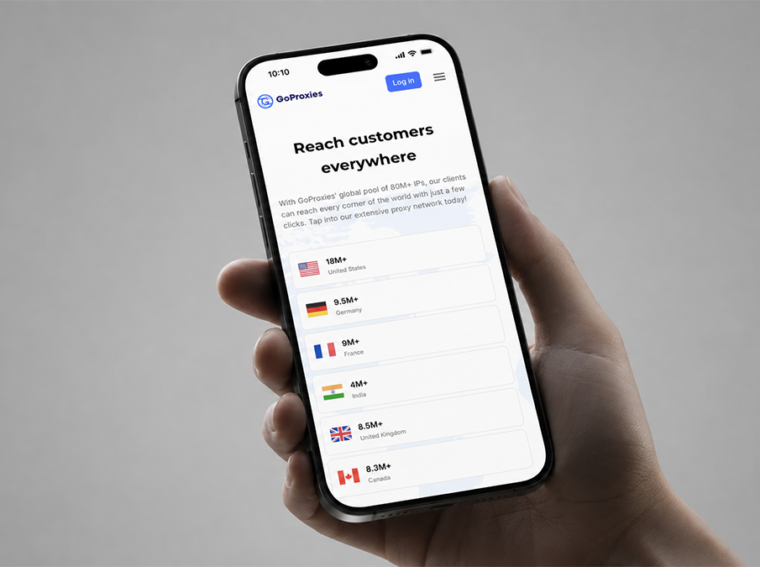
For businesses that need residential IP access, providers such as GoProxies are one option to evaluate. The sensible approach is to compare location coverage, session controls, authentication, bandwidth pricing, and compatibility with the intended workflow. A small practical test is usually more revealing than a long list of advertised features.
Search is changing, and data collection has to keep up
Search behaviour isn’t standing still in 2026. AI-generated summaries, changing result layouts, and more conversational queries are influencing how people discover websites and products. Traditional organic rankings remain important, but they don’t always tell the entire story of a brand’s visibility.
For example, a business might maintain its position in standard search results while seeing changes in clicks because users find some answers directly on the results page. Without additional context, a simple ranking report might miss what’s happening.
That doesn’t mean every company needs an elaborate monitoring platform. A local business with a handful of important search terms probably has very different requirements from an international retailer tracking thousands of queries in several languages.
The useful question is straightforward: what decisions will the collected data help the business make? Once that is clear, choosing the right API, request frequency, and supporting infrastructure becomes much easier.
Choosing a setup that won’t become a headache
Before committing to a service, businesses should check a few practical details:
- Which search engines, locations, and languages are supported?
- Does the response contain the fields the reporting system actually needs?
- How are requests priced, and are there additional charges for higher usage?
- What happens when a request fails or the service reaches a limit?
- Can the setup handle increased demand without requiring a complete rebuild?
It’s also worth reviewing applicable terms and data protection requirements before collecting information at scale. Automated access should be planned responsibly, rather than treated as an unlimited invitation to gather everything in sight.
Ultimately, a fast search API is valuable when it removes friction from a real business process. It can help teams gather information consistently, reduce repetitive work, and react to changes sooner. But speed alone won’t produce better decisions. That still depends on asking the right questions and understanding what the data actually says.
For businesses considering search automation, starting with one clear use case is often the best move. Build a small workflow, measure the results, and expand only when there’s a genuine reason to do so.
What would make the biggest difference to your own workflow: faster data collection, better geographic coverage, or less time spent maintaining scripts? The answer might tell you more about which solution to choose than any feature list ever could.