
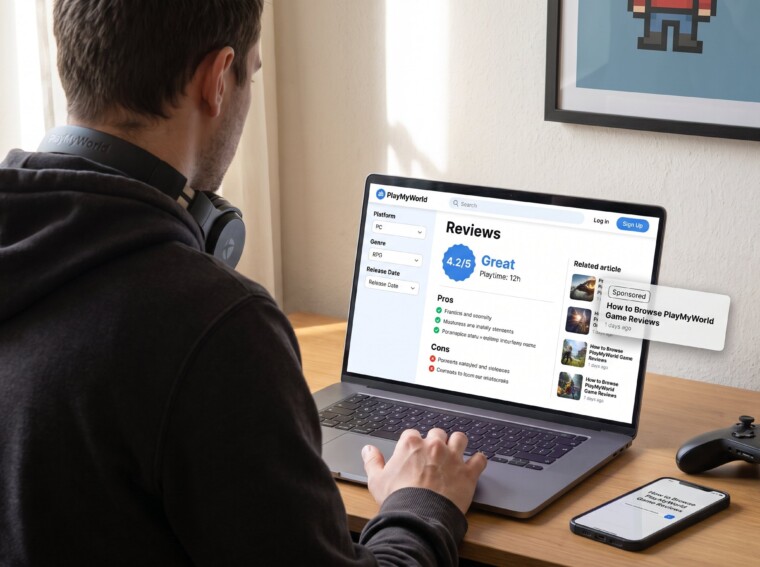
How to Browse PlayMyWorld Game Reviews starts with knowing where review content lives and what signals mean. Gamers who open PlayMyWorld looking for quick, reliable opinions can feel lost amid platform pages, editorial posts, and in-platform rating tables. This guide gives concise steps to find reviews fast, read scores correctly, and avoid biased or out-of-date takes, so they pick games that actually match their platform, play style, and expectations.
Key Takeaways
- PlayMyWorld game reviews are primarily found in the site’s Reviews or News & Reviews sections, which feature aggregated lists and individual editorial posts.
- Identify authentic reviews by looking for playtime disclosures, pros and cons, and clear numeric or headline scores rather than platform feature pages or rating tables.
- Use PlayMyWorld’s filters by platform, genre, and release date to quickly find relevant and up-to-date game reviews.
- Evaluate review credibility by checking for disclosed playtime, sponsorship labels, and comparing editorial scores with user feedback and external sources.
- Cross-check PlayMyWorld game reviews with at least two other sources to avoid biases and ensure the chosen game matches your play style and platform requirements.
Where To Find Game Reviews On PlayMyWorld
Start here: the primary place for reviews on PlayMyWorld is the site’s Game Reviews or gaming section. Users will find aggregated review lists, “latest gaming updates” hubs, and individual review posts that cover PC, console, and mobile titles. A clear signal that a page is a review: it lists playtime, verdicts, and a numeric or headline score rather than just platform features.
Practical route: use the main navigation and look for categories labeled Reviews, News & Reviews, or Guides. For a broader view of PlayMyWorld’s coverage and recurring review hubs, consult the site’s pillar overview on latest updates. This pillar collects rolling news, featured reviews, and update notes, so it’s a useful cross-check when a gamer wants context about a title’s recent patches or major events.
Tip: not every PlayMyWorld page with game info is a review. Some pages focus on platform features or free-browser collections. When a page contains a rating table and active player counts, it likely pulls from the platform side. When it reads like a written verdict with pros and cons and playtime, treat it as an editorial review.
How PlayMyWorld Reviews Are Structured And Scored
Fact first: PlayMyWorld content-site reviews prioritize honest verdicts and real playtime: platform pages often show numeric ratings and active player metrics. A typical editorial review opens with context (genre, developer), states the reviewer’s playtime, lists pros/cons, and gives a final score or recommendation.
Concrete structure to expect:
- Headline verdict and score (e.g., 4.2/5).
- Lead paragraph summarizing whether the game is worth time and why.
- Playtime disclosure (how long the reviewer played).
- Breakdown: gameplay, performance, visuals, post-launch support.
- Final recommendation and target audience (casual, competitive, solo).
Why numbers can differ: platform-side numeric scores sometimes come from automatic aggregation or user activity tables that include active player counts. Editorial scores reflect a reviewer’s impressions after deliberate play sessions. Readers should note whether a score is editorial, player-sourced, or system-generated.
For a quick comparison of PlayMyWorld’s editorial approach alongside its coverage of PC gaming specifically, the article on how PlayMyWorld covers PC gaming explains reviewer standards and platform distinctions in clear terms.
Filtering And Searching Reviews Effectively
Answer first: use the site search, categories, and filters to reduce noise and find relevant reviews fast. PlayMyWorld offers category filters (PC, console, mobile), genre tags, and chronological lists in its news and reviews hubs.
Gamers should open the Reviews or News & Reviews hub and apply three filters in sequence: platform, genre, and release date. That order quickly removes incompatible ports, mismatched game types, and outdated reviews.
Also use keywords in the site search that pair the game name with terms like “review,” “impressions,” or “patch notes.” This narrows results to evaluative content rather than how-to or platform-feature pages.
For broader browsing habits and hub navigation, the site’s guide on finding the latest gaming news explains how to surface recent reviews and updates without getting stuck on legacy pages.
Evaluating Review Credibility And Bias
Direct answer: verify playtime disclosure, check for sponsored labels, and cross-check with independent user reviews. PlayMyWorld editorial pages generally claim independent playtime, but external analysis notes verification gaps: readers should remain skeptical and probe sources.
Concrete checks to perform:
- Playtime: a reviewer who lists only two hours cannot fairly judge endgame content, treat short playtimes as preliminary impressions.
- Sponsorship: look for word markers like Sponsored, Partner, or paid promotion within the article metadata.
- Comments and user reactions: scan reader replies for consistent issues such as server problems or bugs the article missed.
Typical red flags: a glowing score without listed playtime, or a sudden pivot from negative to positive language in the same piece. In those cases, check other outlets and user platforms for corroboration. For platform context and review-format differences, the site’s review of the browser-side experience, such as the 10,000+ games review, shows where platform metrics can skew perception.
Honest note: even trusted sites can miss things. A reader who cross-checks a PlayMyWorld review with two other sources will reduce the risk of being misled.
Conclusion
A decisive approach works best: locate reviews in the site’s reviews hub, confirm structure and playtime, filter by platform and date, and weigh score versus popularity. When in doubt, cross-check editorial verdicts with active player counts and other review indexes. That process saves time and helps gamers choose titles that truly match their equipment and play goals.