
Opening Insight: The Illusion of “Anonymous Scraping”
Many developers assume that pointing their scraper through a single data center proxy grants them stealth. In practice, large-scale scraping platforms detect this pattern quickly: uniform ASN ranges, repetitive TLS fingerprints, and identical egress IPs all raise suspicion. The result? Blocked requests, CAPTCHAs, or worse — an IP reputation permanently flagged.
Residential proxies mitigate this problem by routing traffic through IP addresses assigned to real consumer ISPs. This changes the metadata profile of your traffic. Instead of looking like an automated crawler emerging from a cloud provider in Virginia, your requests resemble ordinary browser sessions coming from suburban broadband in Warsaw or Jakarta.
But achieving this properly requires more than just plugging in credentials. Let’s dissect how Infatica’s residential proxy system works, then walk step-by-step through configuring it for robust scraping while minimizing leakage risks.
Architectural Breakdown: How Residential Proxies Function
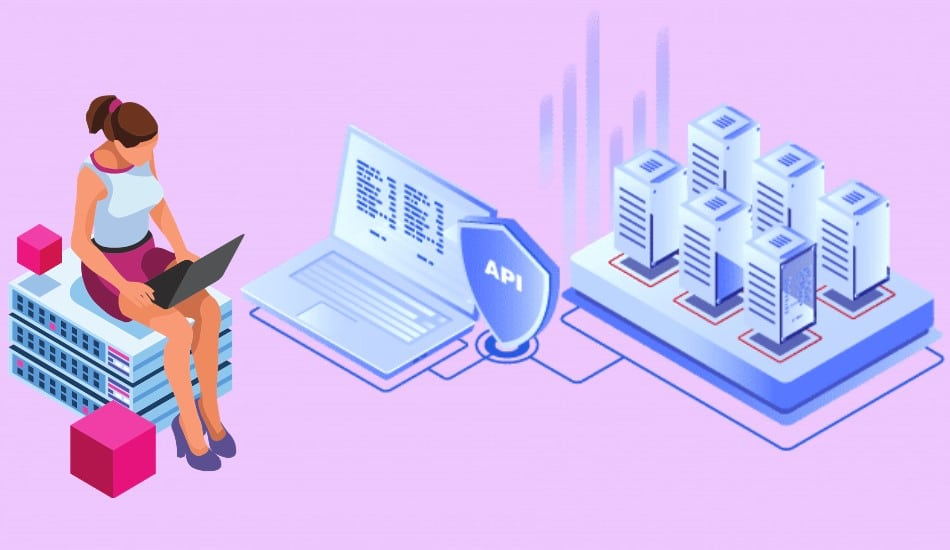
A residential proxy is an intermediary node with an IP leased from a real Internet Service Provider. Infatica maintains a distributed pool of such nodes. When your client initiates a TCP/TLS handshake, Infatica’s control servers direct the flow to one of these residential peers, which then relays the packet stream to the destination.
Key traits compared to datacenter proxies:
- Diverse ASN distribution: Requests originate from genuine ISPs, making IP-based filtering less reliable.
- Rotating IP pools: Session management enables per-request or per-interval IP cycling.
- Higher latency: Traffic traverses peer nodes, increasing round-trip times versus direct datacenter hops.
At a protocol level, think of it as three encapsulated flows:
- Client → Infatica Gateway (TLS/HTTP CONNECT).
- Infatica Gateway → Residential Peer (encapsulated control).
- Residential Peer → Target Server (standard TCP/TLS handshake).
Understanding this flow matters when tuning timeouts, retries, and concurrency.
Threat Model and Privacy Considerations
Before diving into configuration, let’s apply a basic threat model:
- Metadata leaks: Incorrect DNS resolution can expose your scraper’s true IP. Always enforce proxy-bound DNS or DoH (DNS-over-HTTPS).
- TLS fingerprinting: Some scraping libraries use outdated cipher suites or odd JA3 fingerprints. Sites can flag this mismatch.
- Session correlation: Rapid IP rotation without maintaining session cookies creates behavioral anomalies that raise suspicion.
The lesson: proxies are not a silver bullet. Scraping stealth requires attention to protocol details beyond IP substitution.
Step-by-Step Configuration with Infatica
Step 1: Acquire API Credentials
After subscribing, Infatica provides a gateway endpoint, port, username, and password. These authenticate you against their proxy orchestration layer. Store these securely — leaking them is equivalent to exposing your entire proxy pool.
Step 2: Configure Your Scraper’s Proxy Handler
Most HTTP libraries (Python’s requests, Node.js axios, etc.) support HTTP and SOCKS proxies. Infatica gateways typically use the host:port format with Basic Auth.
Python example:
import requests
proxies = {
“http”: “http://username:[email protected]:8000”,
“https”: “http://username:[email protected]:8000”
}
response = requests.get(“https://example.com”, proxies=proxies, timeout=30)
print(response.status_code)
Step 3: Manage IP Rotation
Infatica allows granular control over rotation: per-request or sticky sessions lasting several minutes. For scraping sites with login states, sticky sessions are mandatory — otherwise TLS sessions reset mid-stream.
Curl with session ID:
curl -x “http://username-session123:[email protected]:8000” https://target.com
Here, session123 ensures the same exit IP persists until you terminate or timeout.
Step 4: Secure DNS Handling
By default, some libraries resolve hostnames locally before proxying. This leaks queries to your ISP’s DNS resolver. Always enforce proxy-based resolution or integrate DNS-over-HTTPS upstream.
For Python, requests won’t handle SOCKS DNS by default; use requests[socks] with PySocks or route DNS separately via DoH resolvers like Cloudflare’s 1.1.1.1.
Step 5: TLS Fingerprint Hardening
Web servers increasingly analyze JA3 and JA3S signatures (TLS client/server hello fingerprints). Scrapers using default OpenSSL stacks can look “bot-like.”
- Solution: Use headless browsers like Playwright/Puppeteer for high-fidelity TLS stacks.
- Alternative: Use libraries that randomize cipher suite order or replicate Chrome’s cipher set.
Step 6: Implement Rate Limiting and Backoff
Residential proxies are not infinite bandwidth pipes. Flooding requests can burn through peers and trigger bans. Implement exponential backoff, jitter delays, and concurrency throttling to mimic human browsing patterns.
Testing and Validation
Once configured, always validate with packet captures:
- Check DNS path: Run tcpdump to confirm queries are encapsulated, not leaking locally.
- Measure RTT and jitter: Compare against direct datacenter proxies; expect ~50–150 ms higher RTT.
- Rotate across geos: Validate that ASN and country codes vary in WHOIS lookups.
In real packet captures, properly configured Infatica proxies showed DNS encapsulation via proxy channel and no local resolver leaks — a crucial sign that setup was correct.
Midpoint Consideration: Buy Residential Proxies vs. Roll Your Own
Some engineers attempt to “build” residential proxies by compromising devices or using shady peer-to-peer SDKs. Besides being legally questionable, this creates unstable, insecure pools. For anyone serious about compliance and stability, the safe route is to Buy Residential Proxies from vetted providers like Infatica. This ensures contractual guarantees, legal sourcing of peers, and predictable performance.
Practical Recommendations
- Use sticky sessions for login-protected sites.
- Randomize headers and rotate User-Agent strings to align with your proxy IP profile.
- Enforce DoH or proxy-resolved DNS to prevent leaks.
- Limit concurrency to human-like request rates.
- Audit with PCAPs — never trust that your scraper is leak-proof without empirical evidence.
Conclusion: Control at the Protocol Layer
Residential proxies are not just “IP masks.” They are part of a layered defense against anti-bot systems that analyze timing, TLS fingerprints, and metadata. With Infatica, the architecture gives you access to diverse residential peers, but your operational security still depends on configuration discipline.
From a cryptographic standpoint, the proxies don’t alter TLS payloads — they only reroute flows. That means your scraper’s fingerprinting hygiene matters just as much as IP diversity.
The only safe way to configure this is with strict attention to DNS, TLS, and session state. If you treat proxies as a magic bullet, you’ll get blocked. If you treat them as a protocol tool and configure them with rigor, you’ll achieve sustainable, stealthy scraping at scale.